0 CAD 0.00
items in your cartto quote Checkout
Ooops no items were found.
Try something else.
Ok
Loading…

DermLite® Connection Kit For iPhone 16 Pro Max

DermLite® Connection Kit For iPhone 16 Pro Max = 201-DLCKI16PM DermLite® Connection Kit For iPhone 16 Pro Max = 201-DLCKI16PM

DermLite® Connection Kit For iPhone 16 Pro Max

More coming soon
Item Code: 201-DLCKI16PM
Manufacturer Ref DLCKI16PM

Description

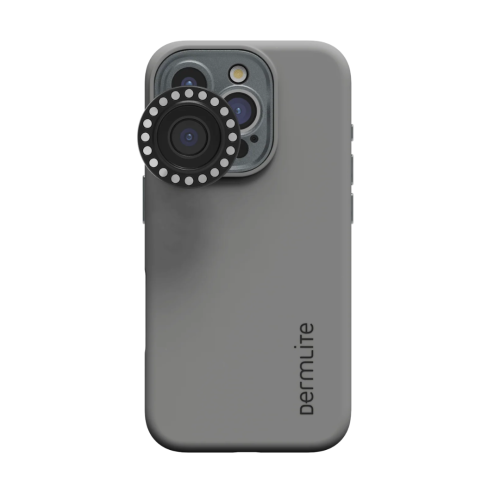
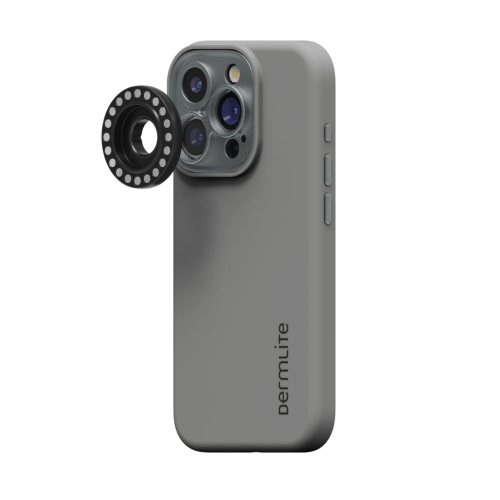
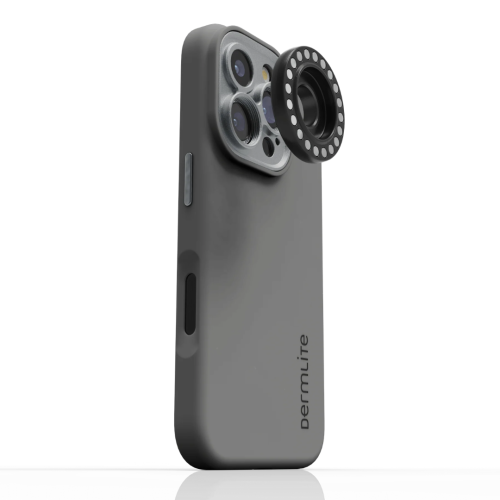
DermLite Connection Kit for iPhone 16 Pro Max
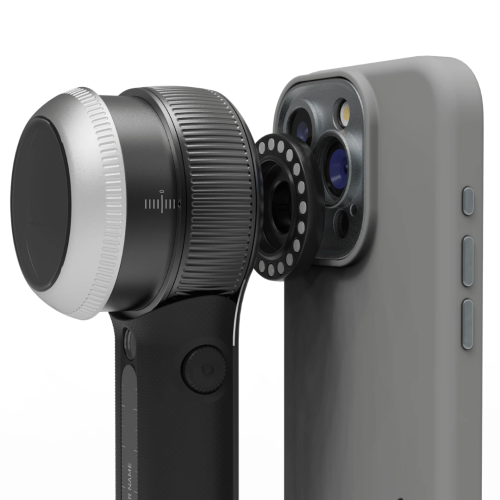
Magnetic smartphone connection kit designed for digital dermoscopy imaging with compatible DermLite® dermatoscopes.

The DermLite Connection Kit for iPhone 16 Pro Max enables high-quality digital dermoscopy using your compatible DermLite dermatoscope and smartphone camera. Featuring powerful built-in magnets, the kit securely holds your dermatoscope in place for stable, clear clinical imaging. This allows healthcare professionals to capture and document skin lesion images with excellent clarity for screening, monitoring, and consultation purposes.

Compatibility & Usage Notes:

  • Designed for use with smartphone-compatible DermLite® dermatoscopes
  • Strong magnetic connection provides secure attachment to compatible smartphones
  • Supports digital dermoscopy imaging and clinical documentation workflows

Camera Optimization Recommendations:

  • Some iPhone 16 Pro and Pro Max models may experience focus limitations when a dermatoscope is attached
  • Use Portrait Mode or third-party camera apps such as Halide until software updates improve focusing performance
  • Enable Macro Control in iPhone Settings → Camera
  • Enable Preserve Settings → Macro Control to maintain camera configuration preferences

Clinical Applications:

  • Digital skin lesion documentation
  • Dermatologic screening support
  • Telemedicine imaging
  • Patient education and record keeping

Specifications

Brand

Dermlite

Category

Dermoscopy - Accessories

Starting from
CAD 116.72 / EA
/
1
LIST PRICE CAD 135.26
14%
- +
Compare

DermLite® Connection Kit For iPhone 16 Pro Max

DermLite® Connection Kit For iPhone 16 Pro Max = 201-DLCKI16PM DermLite® Connection Kit For iPhone 16 Pro Max = 201-DLCKI16PM

DermLite® Connection Kit For iPhone 16 Pro Max

More coming soon
Item Code: 201-DLCKI16PM
Manufacturer Ref DLCKI16PM
Starting from
CAD 116.72 / EA
/
1
LIST PRICE CAD 135.26
14%
- +
Compare

Description

DermLite Connection Kit for iPhone 16 Pro Max
Magnetic smartphone connection kit designed for digital dermoscopy imaging with compatible DermLite® dermatoscopes.

The DermLite Connection Kit for iPhone 16 Pro Max enables high-quality digital dermoscopy using your compatible DermLite dermatoscope and smartphone camera. Featuring powerful built-in magnets, the kit securely holds your dermatoscope in place for stable, clear clinical imaging. This allows healthcare professionals to capture and document skin lesion images with excellent clarity for screening, monitoring, and consultation purposes.

Compatibility & Usage Notes:

  • Designed for use with smartphone-compatible DermLite® dermatoscopes
  • Strong magnetic connection provides secure attachment to compatible smartphones
  • Supports digital dermoscopy imaging and clinical documentation workflows

Camera Optimization Recommendations:

  • Some iPhone 16 Pro and Pro Max models may experience focus limitations when a dermatoscope is attached
  • Use Portrait Mode or third-party camera apps such as Halide until software updates improve focusing performance
  • Enable Macro Control in iPhone Settings → Camera
  • Enable Preserve Settings → Macro Control to maintain camera configuration preferences

Clinical Applications:

  • Digital skin lesion documentation
  • Dermatologic screening support
  • Telemedicine imaging
  • Patient education and record keeping

Specifications

Brand

Dermlite

Category

Dermoscopy - Accessories

SEARCH ×